Stelo (Dexcom)
The first FDA-cleared over-the-counter CGM in the US. No prescription needed. Worn for 15 days at a time. Designed for non-diabetic users - exactly the audience this app serves. Pairs natively with Apple Health.
Glucose Monitoring · CGM app for iPhone
A CGM app for iPhone that reads Stelo, Dexcom, or Libre through Apple Health and tells you what your day did to your blood sugar - in sentences, not just numbers.

Three meals, a few hours of work, a walk after dinner, and the long quiet of sleep - your CGM was reading the whole time.
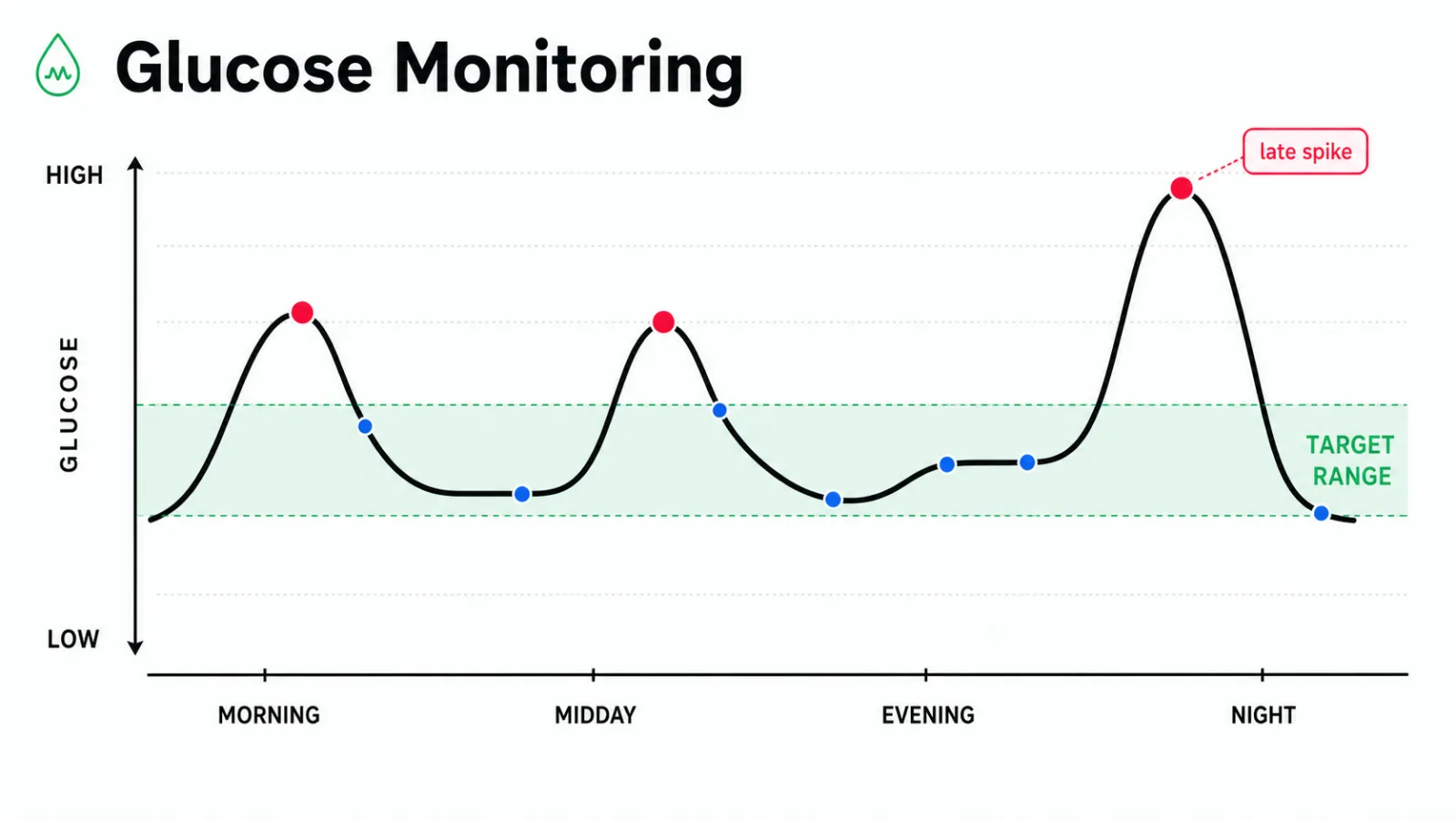
The peaks are dinners. The valleys are between. The night is its own story.
Maybe it's the 3pm crash that no amount of coffee fixes. Maybe it's the perimenopausal energy that flickers off without warning. Maybe a doctor said "your labs are normal" while you were quietly running out of fuel by ten in the morning. The clinic doesn't see what your tissue feels.
A continuous glucose monitor sees it. Every five minutes, all day, all night - a sensor on your upper arm reading the interstitial fluid and writing the curve to Apple Health. The numbers are honest. The interpretation is where most apps stop.
Body Insights picks up where the manufacturer app ends. It reads what your CGM wrote and tells you, in one sentence, what the day did to you: "Lunch ran higher than usual. The walk afterward brought it back gently."

Most CGM apps focus on insulin dosing, A1C tracking, and clinical management. Body Insights does not do those jobs. If you live with type 1 or type 2 diabetes, your manufacturer's app and your endocrinologist are your tools. We complement; we don't replace.
Body Insights is built for a different reader. People navigating perimenopause and watching their blood sugar drift in ways HRT alone doesn't explain. People with ME/CFS, long COVID, fibromyalgia, or chronic Lyme who want to understand why a high-carb lunch wrecks an afternoon. The metabolic-curious. The chronic-illness-adjacent. The people for whom "your fasting glucose is fine" wasn't an answer.
For that reader, a CGM is one of the most useful devices to wear. The missing part is an iPhone app that explains the curve in plain language.
If your CGM writes to Apple Health, Body Insights reads it. That covers every major sensor available to consumers in the United States today.
The first FDA-cleared over-the-counter CGM in the US. No prescription needed. Worn for 15 days at a time. Designed for non-diabetic users - exactly the audience this app serves. Pairs natively with Apple Health.
Prescription CGM widely used by people with diabetes and, off-label, by anyone with a willing doctor. The Dexcom app handles the clinical view. Body Insights reads the same data for the lifestyle view.
FreeStyle Libre sensors stream to LibreLink, which can route to Apple Health. Common in Europe and increasingly in the US. Full read support inside Body Insights.
Body Insights reads the glucose data that your iPhone receives. This includes third-party uploaders and meal-logging apps that write glucose to HealthKit. If it's in Apple Health, it's in the curve.
Free for core features. No card needed.
Everything below is what an honest CGM app for iPhone should tell you. If you're comparing options or doing your homework, you're in the right place.
The hardest part of using a CGM with Body Insights is the first connection. After that, everything is automatic. Pick your sensor and follow the matching path.
Open the Stelo app. Tap your profile, then Apple Health. Turn on Blood Glucose. Open Body Insights, go to Settings → Health permissions, and enable glucose read. Your last few hours appear within minutes.
In the Dexcom app, open the menu, choose Connections → Apple Health, and toggle Glucose on. Then in Body Insights, grant glucose read permission. Dexcom backfills the most recent readings automatically.
Open LibreLink. Tap the three lines, then App Settings → Apple Health. Toggle Blood Glucose on. Body Insights will read whatever LibreLink writes - usually within a single scan-cycle.
First launch shows a HealthKit permission sheet. Allow read access to glucose. If you skipped it, you can re-enable from iOS Settings → Health → Data Access & Devices → Body Insights.
Open the Glucose tab inside Body Insights. You should see the last 24 hours plotted as a continuous line, with the most recent value at the right edge. If the line is flat, your sensor app may not have synced yet.
If you wear an Apple Watch for sleep, Body Insights will automatically overlay your overnight glucose against your sleep stages. No extra setup - it's the same Apple Health pipeline.
Glucose data flows from your sensor to your iPhone to Apple Health. Body Insights reads from there - never directly from the sensor, never via a cloud server we control.
A continuous line showing every reading your CGM wrote today. Peaks, valleys, and the flat stretches in between, plotted against the time of day.
The app marks meaningful rises. It links each one to the four-hour window before it. This helps you see which lunches cause a gentle climb and which ones cause a sharp rise.
Wide swings versus narrow ones, day over day. The shape of your variability matters as much as the average. Calm days look calm on the curve.
The hours you can't feel. Dawn rises, deep-sleep dips, and late-night reactive drops surface in the morning summary if you also wear an Apple Watch.
One sentence: "Today's curve was calmer than the last three days. The walk after lunch did real work." Not a score. A reading.
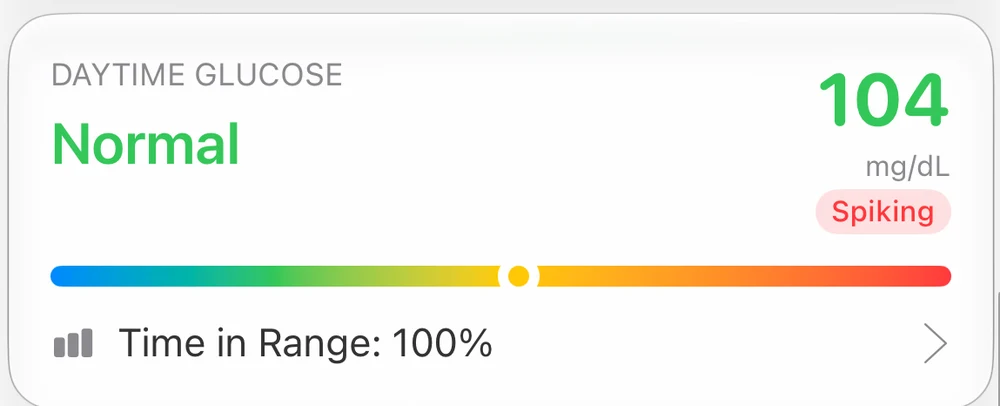
The standard CGM metric - percentage of the day spent inside a healthy band - is on the roadmap. It's not shipped yet. We'd rather say so than fake it.
The post-meal slope. Two people can eat the same lunch and get different curves. Yours is yours. A CGM lets you see whether the rise is a gentle hill or a wall, and whether the return is quick or stubborn. That's the data dietary advice has been missing for a generation.
The afternoon dip. The 3pm crash is not always clinical low blood sugar. Yet the curve often shows a real trough after a high-carb lunch overshoots and the body overcorrects. Body Insights flags the pattern and ties it to what came before.
Stress without a meal. An unexpected rise with no food attached is one of the more interesting things you'll see. The liver releases glucose under stress. Watching that happen in real time changes how you think about a hard email.
The cycle layer. If you have a menstrual cycle, glucose tolerance can shift across the month. The same lunch reads differently in the luteal phase. The CGM makes this visible in a way the doctor's office never could.

The Stelo app, the Dexcom app, and LibreLink all do their jobs well. They're built first for clinical management and second for the lifestyle reader. Body Insights is built the other way around.
| Stelo / Dexcom / Libre | Body Insights | |
|---|---|---|
| Live glucose readings | Yes (primary) | Yes (read from Apple Health) |
| Plain-language summary | No | Yes |
| Sleep + glucose overlay | No | Yes |
| Cycle / perimenopause context | No | Yes |
| Diabetes / insulin dosing tools | Yes | No (out of scope) |
| Time in range | Yes | Planned |
| Cost | Bundled with sensor | Free for core |
Use both. The manufacturer app is the source of truth for your sensor. Body Insights is the layer on top that asks the question your CGM data can answer if you have a translator: what is this telling me about the rest of my body?
For clinical management, the sensor's own app. Use Body Insights for metabolic curiosity, perimenopause, or chronic illness context. It explains the curve in plain language.
Yes. Stelo writes to Apple Health, and Body Insights reads from Apple Health. Enable the Health connection in the Stelo app once; readings appear automatically after that.
No. We are not a clinical tool and do not provide insulin-dosing guidance. If you have diabetes, keep using your manufacturer app and care team.
Stelo is over-the-counter in the US. Dexcom and Libre typically require a prescription. The app itself works with all three the same way.
Not yet. Time in range is on our roadmap. We'd rather tell you it's planned than ship a half-built version of a standard CGM metric.
Free for core glucose features. A premium tier adds deeper analytics and the sleep-glucose fusion. Sensors are purchased separately from the manufacturer.
On-device. No account. No subscription required. No data sold. Ever. Body Insights reads from Apple Health and processes the curve locally on your iPhone.

Free for core CGM features. Premium adds the sleep-glucose overlay and deeper analytics.
