
If you suspect you might have POTS, that blood pressure gap matters. A doctor checks heart rate and blood pressure together when you stand.
How POTS is confirmed beyond Apple Watch
POTS diagnosis follows clear clinical criteria. The Heart Rhythm expert consensus requires a sustained heart-rate rise of at least 30 bpm within 10 minutes of standing in adults. For teens aged 12 to 19, the rise is at least 40 bpm.
That jump must happen without a sharp blood pressure drop. A drop of 20 mmHg or more in top systolic pressure, or 10 mmHg or more in bottom diastolic pressure, points to a different condition.
Symptoms count too. Lightheadedness, racing pulse, shakiness, blurry vision, and fatigue while standing must last at least 3 months. Clinicians also rule out other causes.
Apple Watch cannot measure blood pressure in mmHg. So it cannot check whether your blood pressure stayed steady when you stood up.
The PoTS UK diagnosis guide explains both halves of the test. An Active Stand Test or Tilt Table Test checks lying and upright heart rate alongside blood pressure over 10 minutes. Your watch captures only the pulse half.
What Apple Watch captures well and what it misses
During regular daily wear, Apple Watch samples heart rate every few minutes when you stay still. It does not sample second by second in background mode. Apple explains that schedule in its guide to monitor your heart rate with Apple Watch.
Quick standing spikes can slip right between those checks. A jump from 68 to 125 bpm while making breakfast or standing in the shower may show only a few dots. Even a 135 bpm spike while brushing your teeth can vanish if you sit right back down.
Start an active Workout and the watch changes speed. It samples continuously and maps peaks and drops far more cleanly. Read more in the Apple Watch heart health guide.
Background rules also explain why high heart-rate alerts miss spikes. A High Heart Rate alert fires only after 10 minutes of inactivity above your threshold. Standing up, walking to the kitchen, or showering counts as light motion. So the alert rarely triggers during real episodes.
Does Apple Watch detect POTS in home wear? Smartwatches help spot heart-rate changes tied to symptoms, as the PoTS UK home tech guide notes. Doctors still rely on cuff blood pressure checks and clinic testing to confirm POTS.
Body Insights
Plan today around the energy you have.
Body Insights reads Apple Health data from Apple Watch and translates it into energy, recovery, and pacing guidance.
Get my pacing readHow to do a POTS test at home with Apple Watch and a cuff
A home log works best when you pair your watch with an arm blood pressure cuff. That turns casual watch numbers into a clearer POTS heart-rate test at home.
Use an Active Stand or NASA Lean log format:
- Lie or sit quietly, then write down your resting heart rate and blood pressure.
- Stand or lean upright against a wall for up to 10 minutes if safe to do so.
- Log heart rate and cuff blood pressure at set minutes while standing.
- Add symptom notes such as dizzy, shaky, or blurry vision.
Write down the time and posture beside each number. One calm ECG in a clinic waiting room often misses what morning chores look like. A dated log captures the pattern across normal daily tasks.
Use your Apple Watch for the pulse readings, and use an arm cuff for blood pressure so your log covers both clinical questions.
How pacing apps read the same watch signals
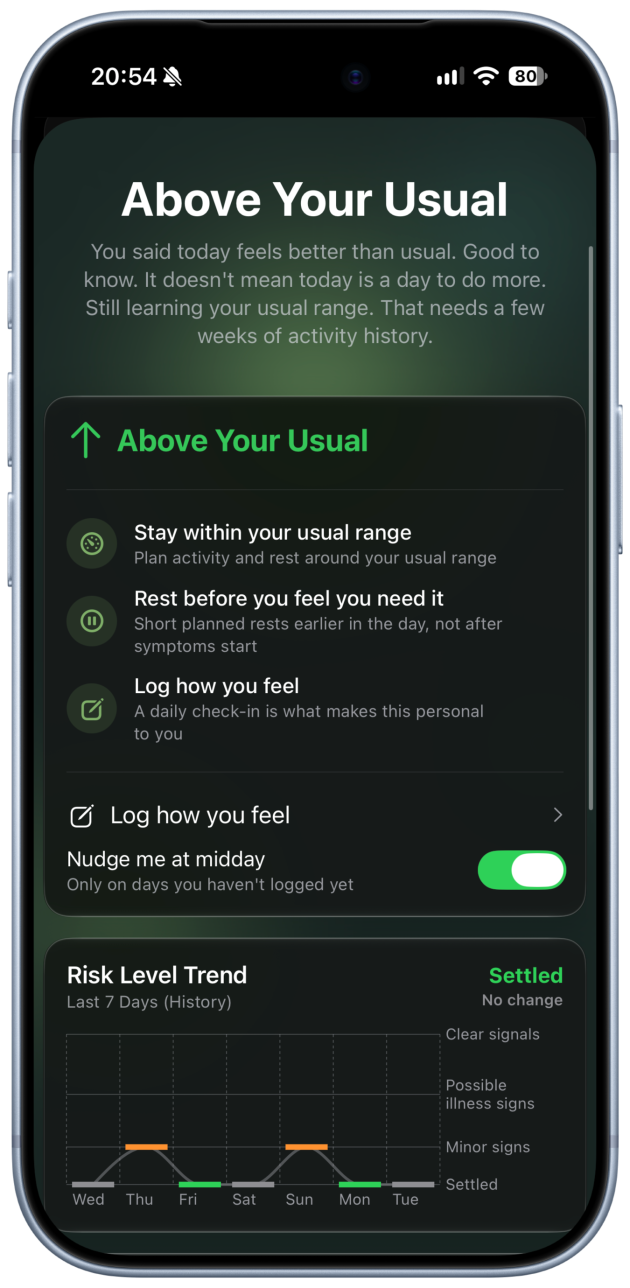
A developer living with chronic illness built Body Insights for people pacing flare days and calm days. The app reads Apple Health data recorded by Apple Watch.
It reads heart rate, HRV, wrist temperature, breathing rate, and sleep against your personal baseline. It also looks at orthostatic heart-rate shifts around waking and standing windows.
Your daily check-in captures a 1 to 5 score and a worse-after-activity flag. You can pick from 11 built-in symptom tags or add your own custom tags.
How you feel outranks sensor scores. On a crash day, your check-in and crash flag set the tone, even when sensor numbers look normal.
Skipped check-ins leave no trace. Missing a hard day never pulls down an average or leaves a guilt-inducing empty gap.
Your pacing limits adjust from calmer days rather than chasing a generic 10,000-step goal.
Body Insights also sends pacing alerts designed to help protect you from an unexpected crash. During a Watch session you start, haptic alerts warn you at custom upper, lower, or sudden-rise heart-rate limits without waiting 10 still minutes. Early baseline warnings also flag when resting heart rate, HRV, or wrist temperature drift 2 to 3 days ahead.
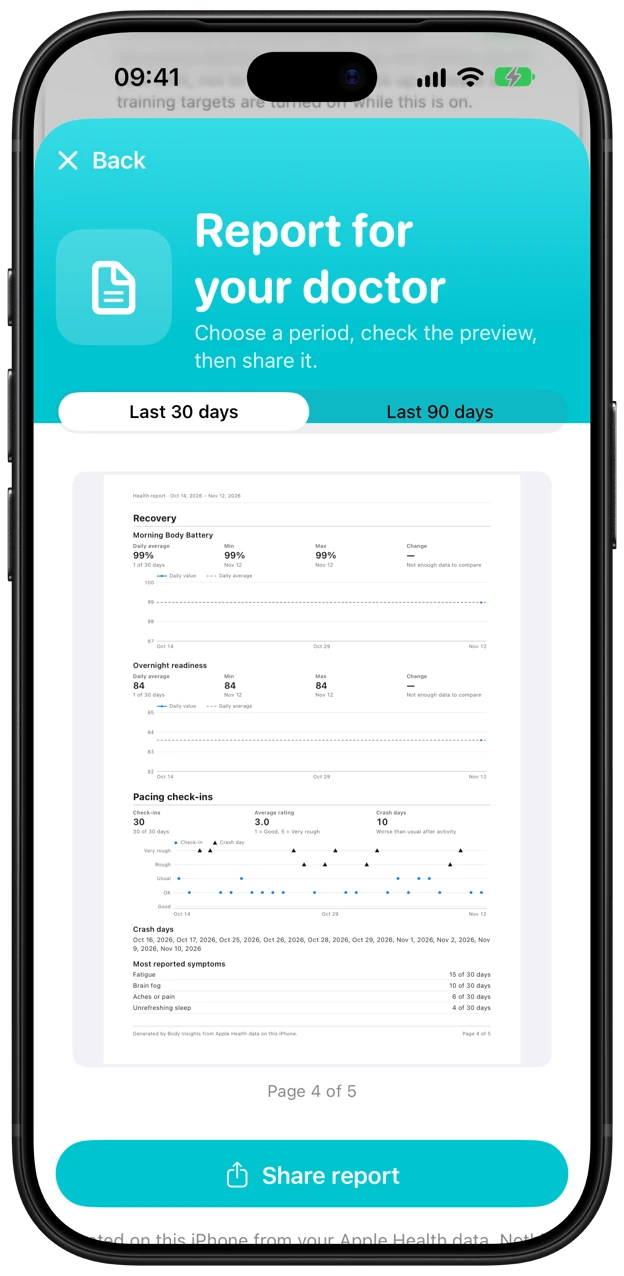
Before appointments, Body Insights exports a 30-day or 90-day doctor report PDF. It bundles resting heart rate, standing shifts, symptom patterns, and check-ins into one printable summary.
That turns raw Apple Watch for POTS data into clear clinic context. A useful POTS Apple Watch app or HRV app links standing shifts, symptom logs, and doctor-ready summaries in one place.
Frequently asked questions
Does Apple Watch detect POTS on its own?
No. Apple Watch logs heart rate during standing. POTS diagnosis still needs blood pressure checks, a sustained 10-minute pulse rise, and symptoms for 3 months or more.
Can Apple Watch help detect POTS at home?
Yes, as a structured symptom log. It captures heart-rate rises during flares and standing checks, which you can pair with blood pressure cuff readings for your doctor.
Why did my High Heart Rate alert miss a standing spike?
Apple's alert requires at least 10 minutes of stillness above your limit. Moving around a kitchen or bathroom counts as light motion and resets that timer.
What is the best Apple Watch for POTS logging?
Any recent Apple Watch that logs background heart rate and continuous Workout sessions works for POTS notes. Pairing readings with a blood pressure cuff matters far more than the model.
Body Insights
Plan today around the energy you have.
Body Insights reads the Apple Watch data you already have and turns it into a plain daily read on energy, recovery, and pacing.
Get my pacing read